Analysis
Replacing X10 Schedules with Home Assistant Automations
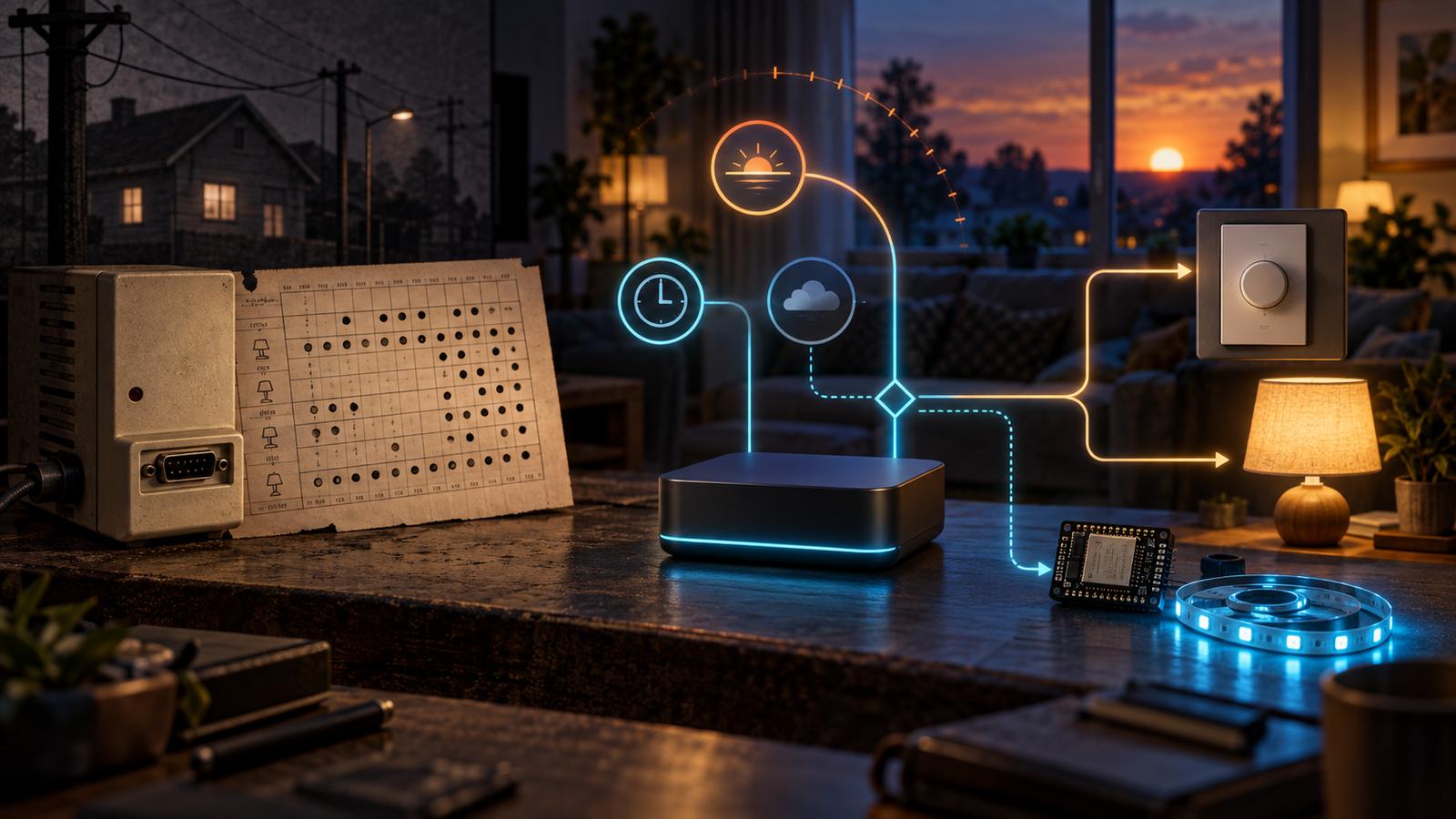
A reliable Home Assistant schedule separates four jobs: solar events, fixed deadlines, state correction, and manual control. Replacing X10 is less about translating macros than deciding which trigger and recovery behavior each light actually needs.
In this article
What the CM11A got right
The old article was a tour through my x10.sched file. One timer turned the kitchen and laundry-room lights on at 5:20 a.m. and off at 7:30. Another turned the outdoor light on at 5:45 p.m., dimmed it, and shut it off after midnight. A 1:30 a.m. rule turned off lights I might have forgotten. An X10 address could also trigger a macro that controlled several other addresses.
The commands and hardware are obsolete, but one property was excellent: the schedule lived in the CM11A. Once uploaded, it did not need the computer to remain on. Home automation that becomes ordinary household infrastructure should fail more like that. A controller outage should remove clever behavior before it removes basic control.
That is now one of my purchasing boundaries. A hardwired Caséta switch or dimmer still works from the wall when Home Assistant is unavailable. Home Assistant adds schedules, conditions, groups, and cross-system behavior; it does not have to become the only way to turn on a room.
I no longer use one kind of schedule for every reason
The current configuration contains descendants of all four old ideas, but the reason for an action now determines its trigger.
| The actual reason | Home Assistant pattern | Current example |
|---|---|---|
| It is getting dark | Sun event or sun-elevation trigger | Seasonal lights turn on at sunset |
| The deadline is really a clock time | Fixed time trigger | Seasonal lights turn off shortly after midnight |
| An event should act differently during part of the day | State or device trigger plus time condition | An office light selects a morning scene only on weekday mornings |
| A device must stay in an allowed state | State trigger that applies a corrective action | A lighting-control power switch is turned back on if it is switched off |
That separation makes the automation easier to explain. “At 5:45” and “when it gets dark” can happen to be the same instruction on one winter day, but they are not the same requirement.
Sunset replaced the outdoor-light guess
My old outside-light schedule used 5:45 p.m. for the whole year. It was simple, but it was inevitably early in one season and late in another. The current seasonal-light automation listens for sunset and turns the light on then. A separate fixed-time automation turns it off at 12:05 a.m.
Home Assistant supports sunrise and sunset events with offsets. Its current documentation recommends sun elevation instead of a fixed sunset offset when the real goal is a particular stage of dusk or dawn, because twilight length varies. That gives me a useful decision:
- Use sunset when the visible event itself is close enough.
- Use an offset when “a little before or after sunset” is genuinely the rule.
- Use sun elevation when the desired amount of outdoor light is the rule.
Weather still changes how dark a room feels. If that matters, a light-level sensor can be a better input than astronomical time. I do not add that complexity unless the simpler sun rule is visibly wrong.
Fixed time is still correct for a real deadline
The old 1:30 a.m. “lights out” macro was not trying to predict darkness. It was a backstop. The current configuration still contains fixed-time actions for plug loads and the seasonal-light shutoff. The clock is appropriate because the rule is about household policy, not daylight.
Several of those plug actions are split into separate automations a few seconds apart. I can explain the intent—avoid changing everything at exactly the same instant—but I would not present the duplication as an ideal template. A single automation with a deliberate sequence would make the relationship easier to see and reduce repeated configuration.
A fixed-time trigger is also an instant, not a desired-state declaration. If returning to the intended state after downtime matters, I add a startup or periodic reconciliation path rather than assuming the missed instant will somehow replay. The action should also be safe to run twice. Turning a light off is naturally idempotent; toggling it is not.
A time condition is not a time trigger
One current office automation starts when the ceiling light is turned on. It then checks whether the current time is between 6:00 and 11:00 on a weekday. Only inside that window does it apply the morning reading scene.
The light event is the reason to evaluate the automation. The clock merely decides whether the action is appropriate. Replacing that with a 6:00 a.m. trigger would change the behavior completely: the room could light itself while empty, and manually turning it on at 8:00 would no longer select the scene.
Home Assistant documents the distinction directly: a trigger starts the automation, then each condition checks current state and either allows or prevents the actions. Thinking in that order keeps a schedule from swallowing the context that made it useful.
State correction replaced some X10 macros
The X10 schedule could invoke one macro when another address changed. My current configuration uses state triggers for similar guardrails. One lighting-control circuit is intended to stay powered, so an off state triggers an action that turns the switch back on.
This is not how I control every light. It is a convenience automation for equipment whose downstream controls need continuous power, not a safety interlock. It can override an off command, including a wall-switch press. It cannot prevent the initial power interruption or restore power while Home Assistant is offline. Before maintenance, isolate the circuit correctly; disabling the automation alone is not electrical isolation. The same distinction matters with smart bulbs: cutting mains power makes the bulb unreachable, so placing one behind a regularly used wall switch creates two competing controls.
For a small lamp without a Caséta circuit, a Matter bulb can make sense. For permanent room lighting, I prefer the Caséta wall control and let Home Assistant schedule that device. For LED strips and custom effects, I use ESP32-based WLED controllers. The schedule is only one layer; the load and the expected manual behavior decide the hardware.
The YAML is smaller than the operating decision
A sanitized sunset automation is almost trivial:
triggers:
  - trigger: sun
    event: sunset
actions:
  - action: light.turn_on
    target:
      entity_id: light.seasonal
The hard questions sit around it. Does the wall still work? Is sunset the real requirement? What should happen after a restart? Is the action safe to repeat? What proves that the target responded? Should a second trigger be ignored, restart the sequence, wait in a queue, or run alongside it?
Home Assistant’s automation modes make that last choice explicit. single rejects a new run while the first is active. restart stops the old run and begins again. queued preserves order, and parallel permits independent runs. My simple lighting rules use single, but I choose the mode from the action rather than copying it blindly.
How I check a schedule before trusting it
- Run the target action by itself and verify the correct device changes.
- Test each condition with both a passing and failing state.
- Set a temporary trigger a few minutes ahead instead of waiting until midnight.
- Inspect the automation trace to see the trigger, condition result, action, and timing.
- Test a second invocation while the first is still active when delays are involved.
- Restart in a safe window and check whether the desired state needs reconciliation.
- Confirm the physical wall control still behaves sensibly with Home Assistant unavailable.
Home Assistant stores a step-by-step trace for automation runs when the automation has an ID. The editor can also test actions and conditions, but its “Run actions” command skips triggers and conditions. That makes it useful for checking a device call, not proof that the complete automation is correct.
What I would buy for this job
I would not buy an automation hub merely to replace a dependable lamp timer. I would use Home Assistant when the schedule benefits from device state, daylight, presence, multiple systems, visible traces, or a shared interface.
For permanent dimmers and switches, I would buy Caséta again and include the supported hub needed for Home Assistant. I would not replace working Caséta controls with Matter bulbs for scheduling. I would reserve a Matter bulb for a lamp or fixture that is not on a Caséta-controlled circuit. I would choose WLED when the load is an addressable or custom LED installation rather than conventional room lighting.
Those boundaries create three honest product paths instead of one generic “smart light” recommendation. The installed model, load type, neutral-wire requirement, and intended manual control still have to be checked before any purchase link belongs beside the advice.
What survives from the old system
I compared the archived December 2007 article and its saved X10 examples with a read-only review of my current private Home Assistant automation file. Current trigger, condition, mode, and trace behavior is cross-checked against Home Assistant’s official trigger, condition, YAML automation, and troubleshooting documentation. The local-control classification comes from the official Lutron Caséta integration page.
I did not change or reload the live Home Assistant configuration, trigger the household automations, repeat an X10 upload, simulate controller downtime, or perform electrical work for this article. The current examples describe configuration found in the maintained repository; they are not fresh proof that every physical device responded.