Workbench
Why I Stopped Power-Cycling My Bond Ceiling Fan with a Lutron Switch
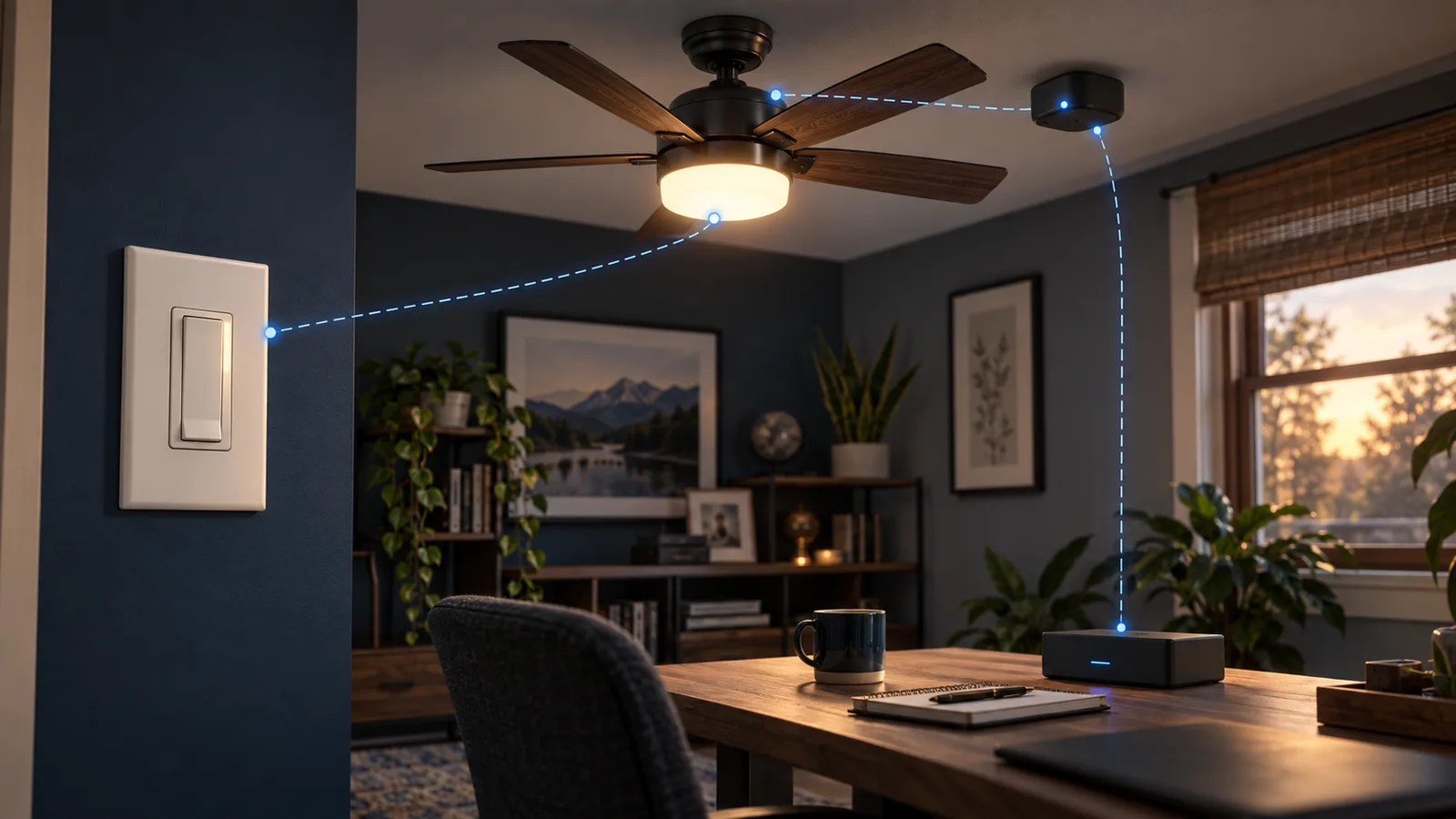
The fan was fine. The Bond Bridge was fine. The Lutron switch was fine. I combined them in a way that made the whole thing unreliable.
The hardware I was trying to join
The wall control is a Lutron Caséta PD-8ANS switch. It supplies power to a ceiling fan/light with its own RF receiver. A Bond Bridge duplicates the handheld remote, and Home Assistant exposes the Bond light and fan as separate entities.
That sounds straightforward until the wall switch is turned off. Bond can still transmit, but the receiver in the ceiling has no power. The command goes nowhere.
Attempt one: keep my own version of the truth
My first setup used input booleans to remember whether Home Assistant thought the RF light and fan were on. Four automations updated those helper states. A fifth watched the Lutron switch and tried to put the fan back into the expected state after power returned.
That was a lot of machinery devoted to a state I could not actually measure. Bond was sending one-way RF, so a handheld-remote press or a missed command could make my helpers wrong. Once that happened, the recovery logic was confidently acting on fiction.
Attempt two: turn power-up into a sequence
I removed 91 lines of state-tracking automation and replaced them with one power-on routine. When the Caséta switch changed from off to on, Home Assistant waited three seconds for the ceiling receiver to boot, turned on the light, waited another second, and set the fan to its lowest speed.
It was cleaner, but it still made a wall switch responsible for booting a radio receiver before the room could work. A quick off/on cycle could cut power during that four-to-five-second window. Bond would transmit to a dead circuit and the ceiling unit would “never turn on.” I had also welded two independently controllable things—the fan and its light—into one synthetic control.
There was a smaller clue that I was fighting the abstraction: on this six-speed fan, 17% landed on speed two. I changed the low-speed command to 16%. That fixed the rounding problem, not the design.
The fix: stop power-cycling the receiver
I now treat the Caséta switch as a power feed, not the normal control. The circuit stays energized. Home Assistant exposes the Bond light and Bond fan separately, just like the handheld remote. The raw Lutron switch is hidden from Google Assistant so a voice command cannot cut power out from under Bond.
I kept one small guard automation. If the switch is turned off by the paddle, a scene, or a stray command, Home Assistant turns it back on after one second:
- id: livingroom_ceiling_keep_powered
  alias: Living Room Ceiling - Keep Powered
  trigger:
    - platform: state
      entity_id: switch.living_room_ceiling_fan
      to: "off"
  action:
    - delay:
        seconds: 1
    - service: switch.turn_on
      target:
        entity_id: switch.living_room_ceiling_fan
  mode: single
And this is the important part of the Google Assistant exposure. The useful Bond entities are visible; the switch that can break them is not:
google_assistant:
  exposed_domains:
    - switch
    - light
    - fan
  entity_config:
    light.ceiling_fan_2:
      name: Living Room Ceiling Light
    fan.ceiling_fan_2:
      name: Living Room Ceiling Fan
    switch.living_room_ceiling_fan:
      expose: false
What this fixed—and what it did not
| Problem | Result |
|---|---|
| RF commands sent during receiver startup | Gone. The receiver stays powered. |
| Fan and light forced into one control | Gone. Bond exposes them separately. |
| Voice command accidentally killing the circuit | Prevented by hiding the raw switch. |
| State drift from one-way RF | Still possible. A physical remote or missed RF command can disagree with Home Assistant. |
| Intentional maintenance | I disable the guard automation before cutting power. |
The remaining limitation matters. A conventional RF remote does not report what the fan actually did. Bond’s displayed state is based on commands, not feedback from the ceiling receiver. Bond itself has described this as a one-way protocol, and Home Assistant calls devices without feedback “assumed state.” I can make that behavior less fragile; I cannot manufacture telemetry the hardware does not provide.
What I would do if I were wiring it today
- Decide whether the receiver needs permanent power. If the fan is controlled by RF commands, assume it does unless its documentation says otherwise.
- Do not make power cycling part of normal operation. A smart switch plus a smart receiver can be worse than either one alone when both think they own on/off.
- Expose the controls people should use. In my case that is the Bond light and fan, not the upstream Caséta switch.
- Accept the one-way boundary. If accurate state is mandatory, choose hardware with real feedback instead of building more helpers around guessed state.
- Leave a maintenance path. My guard automation is easy to disable when I actually need the circuit off.
Would I still use Bond and Caséta?
Yes, for different jobs. Caséta is still what I want for ordinary permanent lighting because the wall controls work without Home Assistant. The Home Assistant Caséta integration is local push and exposes switches, dimmers, fan controls, scenes, sensors, and Pico remotes through the bridge.
The Bond Bridge is useful when a fan I already own is controlled by an RF remote. Bond says one bridge can control up to 30 supported fans, shades, and fireplaces. I just would not put its receiver behind a switch that gets used as part of the daily control path.
This is the distinction I missed at first: both products worked. The architecture did not.
Disclosure: I bought and use the equipment described here. These are ordinary, non-affiliate links as published. If that changes, I will label the commercial relationship on the page.