Analysis
Control Multiple WLED Controllers as One Home Assistant Light
All six kitchen lights responded to the same brightness slider. Ask for warm white, though, and the strips disagreed. Three controllers supported adjustable white temperature; three had a fixed white channel. Here is the configuration I kept, and how to check whether your group has the same mismatch.
In this article
Why there are six controllers in one room
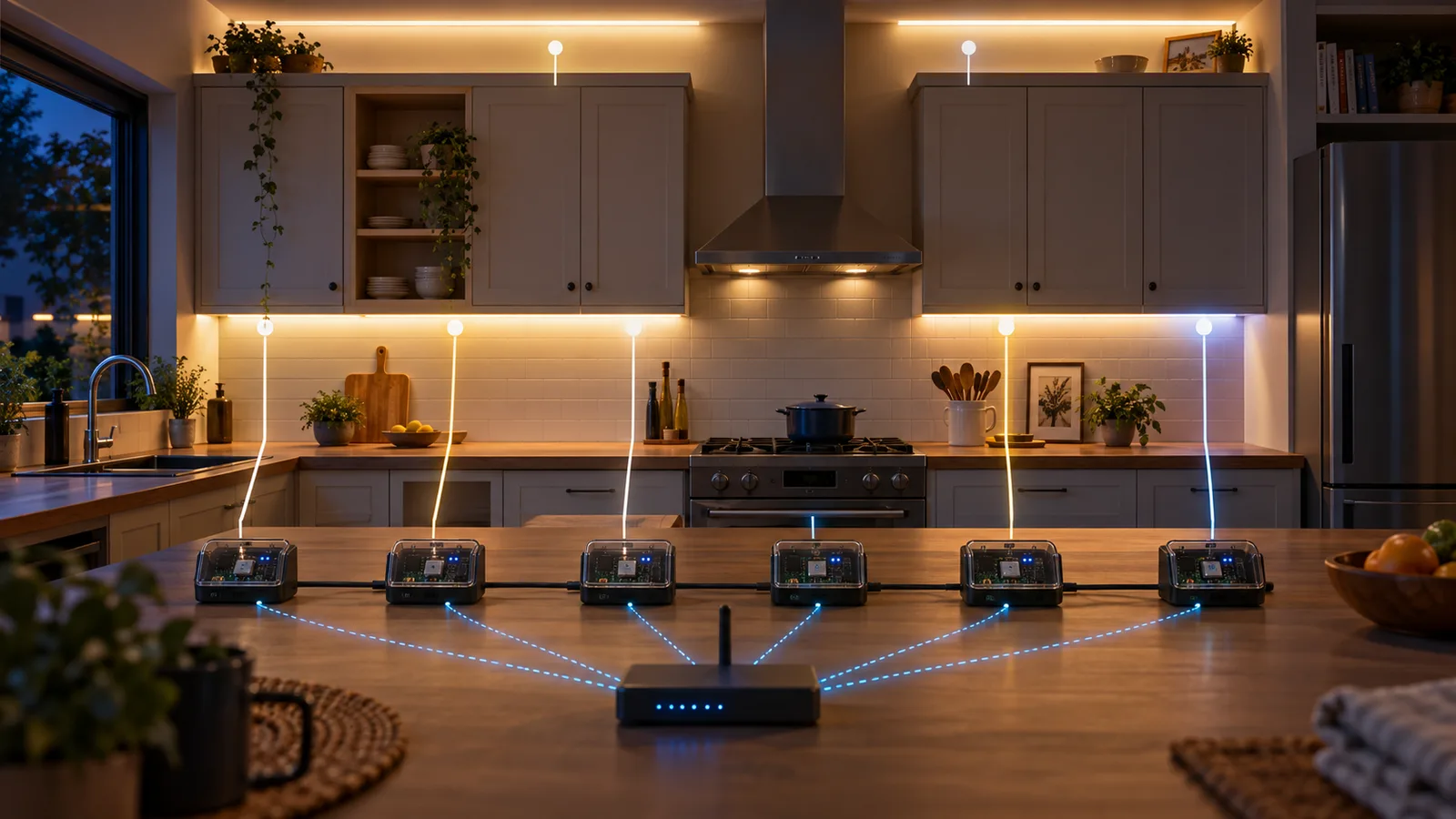
The kitchen lighting is physically split across two under-cabinet runs and four runs above cabinets, a desk, and a nook. Each run has its own WLED controller. That gives me sane wiring and independent serviceability, but Home Assistant sees six lights where a person standing in the kitchen sees one installation.
I grouped them into one entity:
light:
  - platform: group
    name: Kitchen Lights
    unique_id: kitchen_lights
    entities:
      - light.kit_und_cab_1
      - light.kit_und_cab_2
      - light.kit_desk_abv
      - light.kit_abv_cab_1
      - light.kit_abv_cab_2
      - light.kit_nook_abv
That group is still useful. It gives the dashboard one brightness slider and one switch. The trouble started when I wanted “soft white” to mean the same thing on all six runs.
Why the light group could not make the hardware identical
A Home Assistant light group gives several entities one shared control surface. It does not convert their capabilities. When I inspected the six WLED controllers directly, three reported RGBW plus adjustable white temperature and three reported RGBW with a fixed white channel.
| Controllers | White capability | What that changes |
|---|---|---|
| 3 of 6 | RGBW plus tunable white | They can accept a color-temperature target. |
| 3 of 6 | RGBW with fixed white | They need an explicit RGBW value instead. |
That difference explains why one group-level “warm white” command was the wrong abstraction. The brightness overlap is real, so the group slider works. The white controls are not the same, so named modes need to describe the state each controller should receive.
I found the capability split through WLED’s local /json/info response. I did not need cloud discovery, and I did not need to publish the controllers’ private addresses. The diagnostic step I would repeat is simple: inspect every controller before writing the group, then build around the intersection instead of assuming that six WLED devices expose six identical lights.
Attempt one: treat unlike strips as two sets
My first soft-white script made two Home Assistant service calls. Three entities received color_temp_kelvin: 2700. The other three received rgbw_color: [0, 0, 0, 255]. Both sets got 70% brightness.
That was the first honest description of the hardware: this was not really one homogeneous light. Home Assistant’s WLED integration exposes one color model per segment, and mixed RGB, white, and CCT hardware does not always fit behind the same controls.
Attempt two: force Solid before setting white
The color and brightness commands did not reliably win if a controller was still running an effect. I added effect: Solid to both calls. That was a one-line fix in each half of the script, and it solved a real state problem: “set this color” was not enough if the active effect was still changing it.
It also made the script more revealing. I was issuing several abstract light commands and hoping each controller translated them into the same WLED state. For this installation, I cared more about the exact resulting state than the abstraction.
The version I kept: one helper, six JSON posts
WLED exposes a local JSON API at /json/state. I added one Home Assistant REST command and one reusable script. The hostnames below replace my private LAN addresses, but the rest is the same shape as the live configuration.
For a YAML-managed setup, merge the rest_command: block into configuration.yaml. Put the two named scripts in scripts.yaml if your configuration uses script: !include scripts.yaml; otherwise nest them under your existing script: key. Do not create duplicate top-level keys. Replace every example hostname and entity ID before loading the configuration.
rest_command:
  wled_set:
    url: "http://{{ host }}/json/state"
    method: POST
    content_type: "application/json"
    payload: "{{ body }}"
kitchen_apply:
alias: Kitchen - Apply WLED state
fields:
body:
description: WLED /json/state JSON payload
sequence:
- repeat:
for_each:
- wled-kitchen-1.local
- wled-kitchen-2.local
- wled-kitchen-3.local
- wled-kitchen-4.local
- wled-kitchen-5.local
- wled-kitchen-6.local
sequence:
- service: rest_command.wled_set
continue_on_error: true
data:
host: "{{ repeat.item }}"
body: "{{ body }}"
mode: restartEvery named mode now calls that helper. Soft white is a solid effect (fx: 0) with an RGBW blend and a master brightness of 180:
kitchen_soft_white:
  alias: Kitchen - Soft White
  sequence:
    - service: script.kitchen_apply
      data:
        body: >-
          {"on":true,"bri":180,
           "seg":[{"fx":0,"col":[[255,150,50,255]]}]}
  mode: single
Bright white sends no RGB and drives the white channel fully:
{"on":true,"bri":255,"seg":[{"fx":0,"col":[[0,0,0,255]]}]}The WLED API defines bri on a 0–255 scale, fx as the effect ID, and each col entry as three or four bytes for RGB or RGBW. The numbers in my soft-white payload are a visual blend for these strips, not a claim that the output is a calibrated Kelvin temperature.
Two small details make the helper usable
continue_on_error: true
One powered-off or unreachable controller should not prevent the remaining five from changing. I added failure isolation after the first version so a missing run would be visible as one dark section, not a script that stopped halfway through the list.
mode: restart
If I choose Soft White and immediately choose Dinner, restart mode stops the old script run and starts another with the new payload. That does not undo a request already received by a controller. These are six sequential network calls, so a restart or timeout can leave the room temporarily split between modes. Inspect the script trace when that happens, then reapply the intended mode once the controllers are reachable.
What stays in Home Assistant and what goes straight to WLED
| Job | Control path | Why |
|---|---|---|
| Whole-kitchen on/off | Home Assistant light group | Simple dashboard and voice control. |
| Whole-kitchen brightness | Home Assistant light group | The common abstraction is good enough. |
| Soft, warm, dinner, and bright white | WLED JSON helper | I want an exact effect, color array, and brightness on all six controllers. |
| Rainbow, fireplace, aurora, and party | WLED JSON helper | These are native WLED effects, not generic light states. |
| Controller health and updates | Home Assistant WLED integration | The integration exposes uptime, signal, current estimates, restart, and firmware entities. |
Check your controllers before copying the payload
Download the read-only WLED inspector. It uses Python 3 with no extra packages. Run it on a computer that can reach the controllers, replacing these example names:
python3 wled-inspect.py --host wled-kitchen-1.local --host wled-kitchen-2.localThe script makes one GET request to /json for each host you supply. It does not scan the network, change lighting, or upload results. Its output includes firmware, common capabilities, segment IDs, effects, colors, brightness, and CCT state; it omits device names and network identifiers. Input numbers follow the order of your hosts.
You can also open http://YOUR-CONTROLLER/json in your browser, save that response locally, and inspect it without another network request:
python3 wled-inspect.py --file saved-json-response.jsonThe inspector has automated tests using synthetic responses, including mixed capabilities and missing fields. That checks the parser, not your wiring, strip model, or physical light output.
In the WLED API, info.leds.lc describes capabilities shared by all active segments. info.leds.seglc gives the capabilities of each segment by ID. A value of 3 means RGBW; 7 adds CCT. The inspector decodes those flags. A missing value appears as null, not a claim that the hardware lacks a feature.
My example sends one segment entry without an explicit ID, so it targets segment zero. It also omits segment brightness, segment on/off, and cct. Those settings can retain earlier values. On a multi-segment installation, inspect each segment and target its ID explicitly. A controller accepting the JSON does not prove that every strip received the intended state.
| Symptom | Next check |
|---|---|
| One run ignores the mode | Can that controller answer the read-only request? Check the script trace for that host. |
| The LEDs keep animating | Read the segment effect and check for another automation, preset, or external controller changing it. |
| Only part of a strip changes | Compare segment IDs with the payload. The example does not target every segment. |
| White differs despite matching RGBW values | Compare CCT and brightness state, then the strip hardware. Identical bytes do not guarantee identical light. |
The controller inventory does not identify every strip, power supply, or board in this installation. Use this as a control example, not a parts list or an electrical design.
Would I build it the same way now?
I would keep the split: a light group for normal control and a precise path for named modes. Home Assistant’s current WLED documentation explicitly notes the mixed-strip color-model limitation and suggests WLED presets when secondary or tertiary colors need to survive. Presets are a good alternative if I want each controller to own its exact state locally.
I would also use stable local names or DHCP reservations from the beginning. My live script still contains fixed private addresses; they work, but names make the configuration easier to read and move.
Most importantly, I would not start by asking how to make six entities look identical. I would start by listing what the six pieces of hardware can actually do. The group should cover the overlap. The named modes can handle the differences.
References: Home Assistant’s WLED integration and known limitations · WLED JSON API
Disclosure: This comes from the Home Assistant configuration running my kitchen lights. I do not have reliable model numbers for every strip, supply, and controller.