Analysis
Fix a Pi-hole Block Without Disabling Pi-hole
A Pi-hole exception can exist and still do nothing for the affected device. Check which resolver answered, which client group applied, and which rule blocked the hostname before changing the allowlist.
In this article
The browser failure was only the symptom
I was connecting Hack Your World to AdSense when the setup flow stopped working. Refreshing the page was tempting because the failure appeared in a browser, but a browser error can sit several layers above the actual fault. The local DNS filter was answering the lookup with a block address, so there was no useful web connection for the browser to retry.
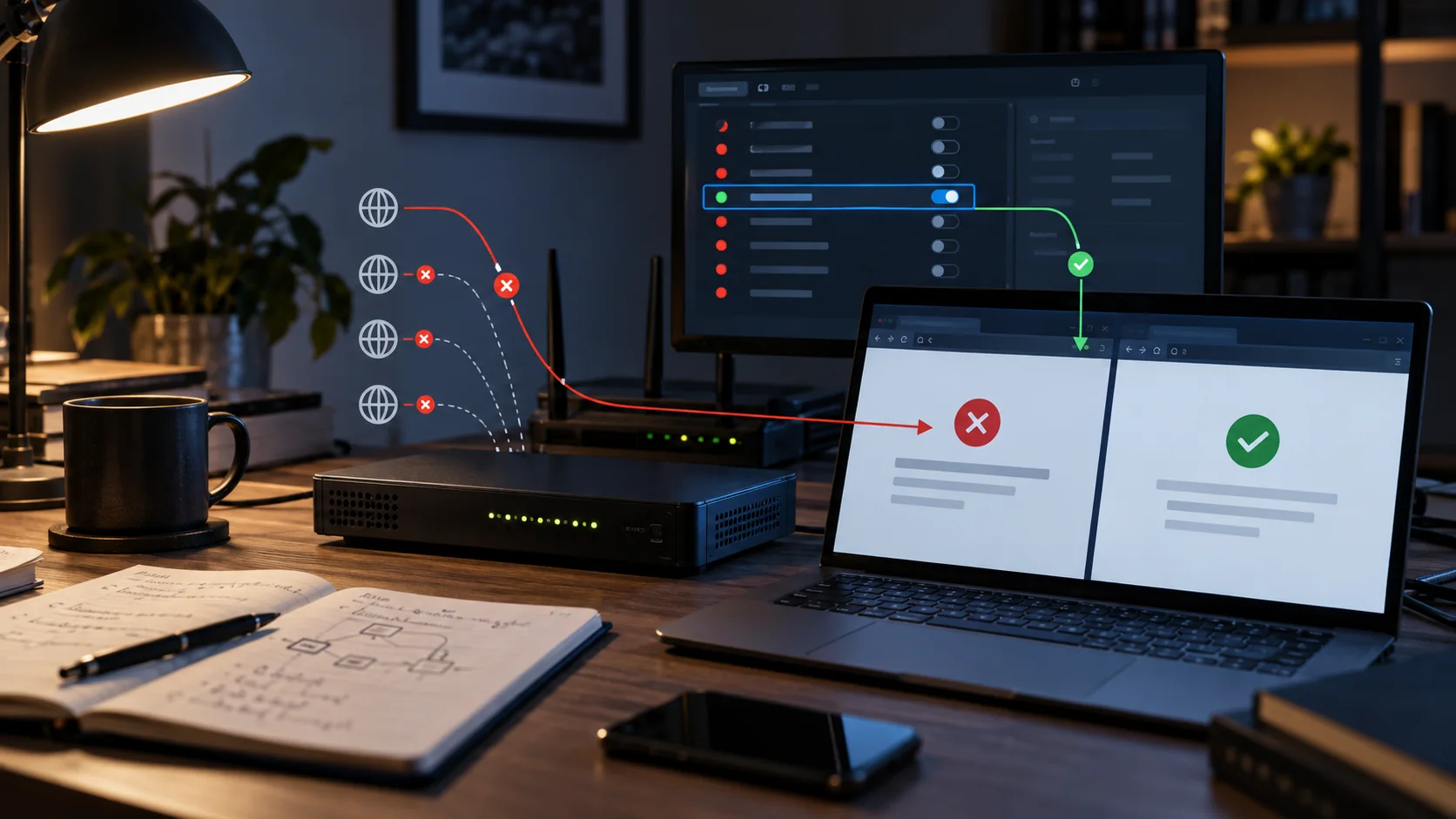
The important test was not “does AdSense work somewhere?” It was “what answer does each DNS resolver give this client?” My network has a primary and a secondary resolver. The primary returned public IPv4 and IPv6 records. The secondary returned Pi-hole’s blocking answers: 0.0.0.0 for A and :: for AAAA.
That split explained why the problem could feel inconsistent. A client may have more than one DNS server configured, and the label “secondary” does not guarantee that it will sit idle until the primary is dead. Different clients and cached lookups can expose different answers. One correct resolver and one blocking resolver is still a broken configuration.
I asked Pi-hole which rule matched
I checked the blocked name before changing anything:
pihole query adsense.google.comThe query showed that a subscribed blocklist matched adsense.google.com. There was no exact allowlist entry on the failing resolver. That distinction mattered. I wanted to make the administrative destination reachable; I did not want to suspend filtering for the network or guess at a list of related Google domains.
Pi-hole documents exact allowlist entries as the highest-priority domain rule, ahead of subscribed denylist entries. Its command-line allow operation adds the domain and reloads the DNS service. Check that the entry is enabled and assigned to the affected client’s groups; priority does not make an unrelated group’s rule apply. The command used for this incident was:
pihole allow adsense.google.comI ran that command inside the Pi-hole container on the resolver that was still blocking it. The first resolver already had the same exact entry. Afterward, both returned public A and AAAA answers.
The fix belongs on every resolver that can answer
Adding the rule to one Pi-hole had created a configuration that looked finished from one test point. It was not finished from the network’s point of view. If two resolvers serve the same client policy, both need that policy. Different guest, child, or work-device groups may intentionally have different rules; do not broaden an exception to every client just to make the resolvers look identical.
I verified each one explicitly instead of relying on the operating system’s selected resolver. Run the queries from the affected client where possible. Replace each angle-bracket placeholder with its DNS server address, without the brackets:
dig @<primary-dns> adsense.google.com A
dig @<primary-dns> adsense.google.com AAAA
dig @<secondary-dns> adsense.google.com A
dig @<secondary-dns> adsense.google.com AAAA
The exact addresses are not the point and can change. In this incident the block answers were 0.0.0.0 and ::. Other blocking modes can return a configured address, NXDOMAIN, or an empty answer. An absent AAAA record can also be legitimate. Check the response status and Pi-hole query log; an IP address alone is not proof that filtering allowed the name. I keep private hostnames and addresses out of screenshots and articles because they add no value to the repair.
One successful direct query establishes only that response from that resolver for that client. Check the required record types and each resolver serving the affected policy, then retest the application. A router forwarding DNS on behalf of clients can also change which client identity Pi-hole sees.
Check the client group, not just the domain list
Pi-hole’s group management links clients and filtering rules. A newly added domain can be in the default group while the affected device uses another group. Verify the domain’s enabled state, its assigned groups, and the client identity recorded for the failed query. A command run on the DNS server itself can exercise a different client policy from the laptop that cannot open the page.
If reproducing the browser failure produces no corresponding query, confirm its DNS path before adding exceptions. Browser secure DNS, a VPN, a proxy, or a client cache may keep the request from reaching the resolver you are inspecting. Resolve that discrepancy first; a direct dig query is not proof of the browser’s path.
Why a refresh can still look broken
DNS answers can remain in more than one cache. Pi-hole may have reloaded its rules while the operating system, browser, or an application still holds the earlier block answer. I test the resolver directly first because it separates server state from client cache state.
If direct queries are correct but the page remains broken, I close the affected browser tab and clear the client DNS cache using the operating system’s normal method. I do not start by restarting every network service. A broad restart destroys evidence and makes it harder to know which action actually repaired the path.
IPv6 deserves its own check. An A lookup can be correct while an AAAA lookup still returns ::. A browser can prefer IPv6, so testing only IPv4 may leave half the failure intact.
What I deliberately did not allow
The exception is exactly adsense.google.com. I did not create a wildcard for Google, disable a blocklist, pause Pi-hole, or add every hostname visible in the browser’s network panel. The purpose was to reach the AdSense account and site-setup interface from my own network.
This also does not force advertising through someone else’s filter. Hack Your World can request an ad from Google’s delivery infrastructure when ads are enabled, and a visitor can still block that request locally. My administrative allowlist and a visitor’s DNS policy are separate decisions.
A narrow exception is easier to review later. The domain says why it exists, the matching rule is exact, and removal is equally specific:
pihole allow remove adsense.google.comIf AdSense changes its administration host in the future, I would diagnose that host from fresh DNS evidence. I would not pre-authorize a family of domains in anticipation.
The checklist I will use next time
- Copy the exact failing hostname from the browser or application error path.
- Query every configured resolver for both A and AAAA records.
- Use
pihole query <hostname>to find candidate rules, then confirm the blocked query, client identity, and applicable groups in the query log and group settings. - Add one exact allowlist entry only when the destination is expected and necessary.
- Apply the same intended policy to every resolver that serves those clients.
- Repeat the direct DNS tests before touching client caches.
- Retest the application and record the exception’s purpose and client scope.
Pi-hole is infrastructure because its state decides whether other systems can be reached, and redundant infrastructure is only reliable when its policy is consistent. The safest repair here was also the smallest: one domain, two resolvers, four direct DNS checks.
Pi-hole’s official documentation covers the allowlist command, domain-rule priority, and query command. Hack Your World’s advertising and data-use disclosures are on the privacy page.
Disclosure: This came from a live failure on my two Pi-hole resolvers. Private addresses and hostnames are omitted.