Workbench
Why I Use Lutron Caséta for the House—and Matter Bulbs Only in Lamps
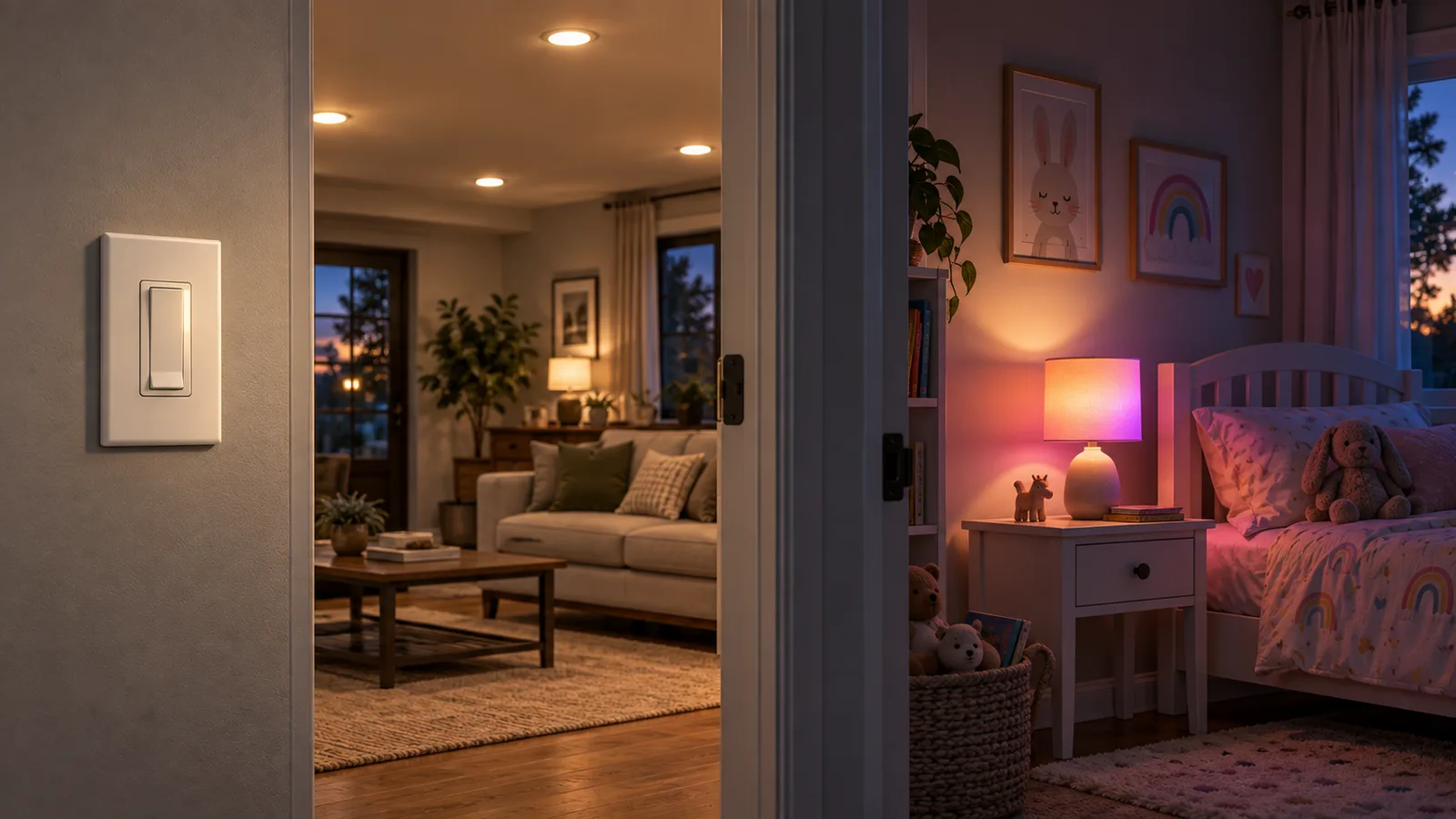
If a light is wired to the house, I want the wall control to remain in charge. Matter bulbs are useful here, but only in the places where nobody can make them disappear by flipping the wrong switch.
The wall-switch test
My first question is not which radio a bulb uses. It is what happens when somebody walks into the room and presses the obvious control.
If the answer is “the smart bulb loses power and drops off the network,” I have put the intelligence in the wrong place. That is not a rare edge case. It is the normal way people use a wall switch.
For ceiling lights, sconces, and other permanent loads, I prefer Caséta switches and dimmers. The switch still looks and behaves like part of the house. Home Assistant can add scenes, schedules, and remote control through the Caséta hub, but it is not required for somebody to turn on the light.
Where a Matter bulb earns its place
A small bedside lamp in a kid’s room is different. There may be no wall control for it, and color or tunable white can be useful. The lamp can stay powered, the bulb can remain reachable, and Home Assistant can control it locally through Matter.
The same logic works for a movable floor lamp or a decorative lamp where replacing a wall control would make no sense. In those spots, the bulb is the device. I am not placing it behind another control that regularly cuts its power.
I still want a physical way to operate the lamp. That can be a button, a remote, or a control that sends an automation instead of disconnecting power. The important part is that the physical action and Home Assistant agree about what “off” means.
| Lighting job | What I use | Why |
|---|---|---|
| Ceiling or wall fixture on a normal circuit | Lutron Caséta switch or dimmer | The wall control remains the primary interface. |
| Bedside or movable lamp without a wall-controlled load | Matter bulb | Color and local automation without rewiring. |
| Smart bulb behind a frequently used wall switch | Neither, until the control problem is fixed | A powered-off bulb cannot receive a command. |
| Custom LED run | ESP32, ESPHome, or WLED | The controller can match the strip, driver, and installation. |
What Home Assistant gets from Caséta
The official Lutron Caséta integration connects to the Smart Hub and exposes supported dimmers, switches, scenes, shades, fan controls, sensors, and Pico remotes. Home Assistant classifies it as Local Push.
That last part is why Caséta is more than an expensive radio switch in my setup. Changes arrive quickly, Home Assistant can coordinate the lighting with other systems, and the physical lighting system remains understandable on its own.
I do not need every lighting feature to live in the Lutron app or every automation to live in Home Assistant. I need a clean boundary: Lutron owns the permanent control; Home Assistant coordinates it.
The Caséta hardware actually in this house
I checked Home Assistant’s live device registry on September 13, 2026 instead of working from memory. This is not a hypothetical shopping list: it is the equipment currently registered here.
| Model | Count | Job here |
|---|---|---|
| PD-6WCL | 9 | Original in-wall dimmers for permanent lighting. |
| PD-8ANS | 11 | Neutral-wire switches for non-dimmed lighting loads. |
| PD-FSQN | 3 | Four-speed ceiling-fan controls. |
| PJ2-3BRL | 2 | Five-button Pico dimming remotes. |
| PJ2-2B | 1 | Two-button Pico remote. |
| L-BDG2 | 1 | Ethernet-connected Smart Hub for the Caséta network. |
The counts matter because they explain the choice better than a feature comparison does. I am not keeping Caséta for one legacy switch. It is the physical lighting layer across most of the house. Replacing it with smart bulbs would mean moving control away from 23 wall devices and remotes that already work.
The model number still matters when buying. The PD-6WCL is a dimmer; the PD-8ANS is a neutral-wire switch; and the PD-FSQN is specifically a fan-speed control. They are not interchangeable just because Home Assistant puts them under the same integration.
What Matter adds—and what it does not
Home Assistant’s Matter integration controls Matter devices locally over Wi-Fi or Thread. Matter is the application protocol; Thread is one possible network underneath it. A Thread logo alone does not prove that a bulb supports Matter, so I check the Matter mark and the exact model before buying.
Matter also does not guarantee every vendor-specific feature will appear in Home Assistant. The common interface is the point, but a common interface can be smaller than the manufacturer’s own app. For a lamp, ordinary on/off, brightness, color temperature, and color are usually the features I care about. I would be more cautious if a purchase depended on a special effect or proprietary scene.
The setup detail people throw away
I keep the Matter setup code. Commissioning normally uses the QR code or numeric code on the device or its paperwork. If the bulb is factory-reset later, that code is needed again. I photograph it and keep the image with the device record instead of trusting the packaging to survive.
For Thread bulbs, I also verify that the Thread network and border router are already healthy. “Matter over Thread” describes two layers. Buying the right bulb does not repair a confused Thread setup.
Why I am not replacing Caséta with bulbs
A bulb-first retrofit can look cheaper because each purchase is small. The cost shows up in behavior: switches that must be taped on, fixtures that vanish when power is cut, household instructions, and automations designed to repair normal human actions.
Caséta puts the control at the circuit. A smart bulb puts it at the lamp. Both are sensible locations when the physical fixture matches the choice. The mistake is stacking them without deciding which one owns power.
This is the same failure pattern I found with my Bond-controlled ceiling fan. Two good products can create a bad system when one cuts power to the other.
What I would buy for a new room
- Start with the fixture. If it is permanently wired and people expect a wall switch, I plan the switch first.
- Decide whether color matters. Most permanent household lighting does not need to turn purple. A child’s lamp might.
- Check the load. Dimmable LEDs and smart dimmers have compatibility and minimum-load considerations; the exact fixture matters.
- Check the exact protocol. For a Matter bulb, I confirm Matter support, whether it uses Wi-Fi or Thread, and which features Home Assistant exposes.
- Keep a physical control. I do not make a phone the only obvious way to operate a light.
The buying rule I actually use
If I can point to the wall control and say “this will still make sense when the server is down,” I am usually on the right track. For permanent lighting that means Caséta. For a small lamp that can remain powered, a Matter bulb is a useful exception.
I am not trying to make every light use the same technology. I am trying to make every room unsurprising.
Disclosure: I use Caséta switches and Matter bulbs in the roles described here. The links on this page are to documentation and related articles, not affiliate links. If I add product links that pay a commission, I will label that relationship here.