Analysis
Lutron PD-8ANS vs Claro DVRF-5NS: Keep or Replace?
Keep a working PD-8ANS unless its button layout or load support is a problem. For a new compatible on/off circuit, start with the Claro DVRF-5NS: it provides the current paddle design without changing the Home Assistant architecture.
In this article
The old switch is not the current shopping answer
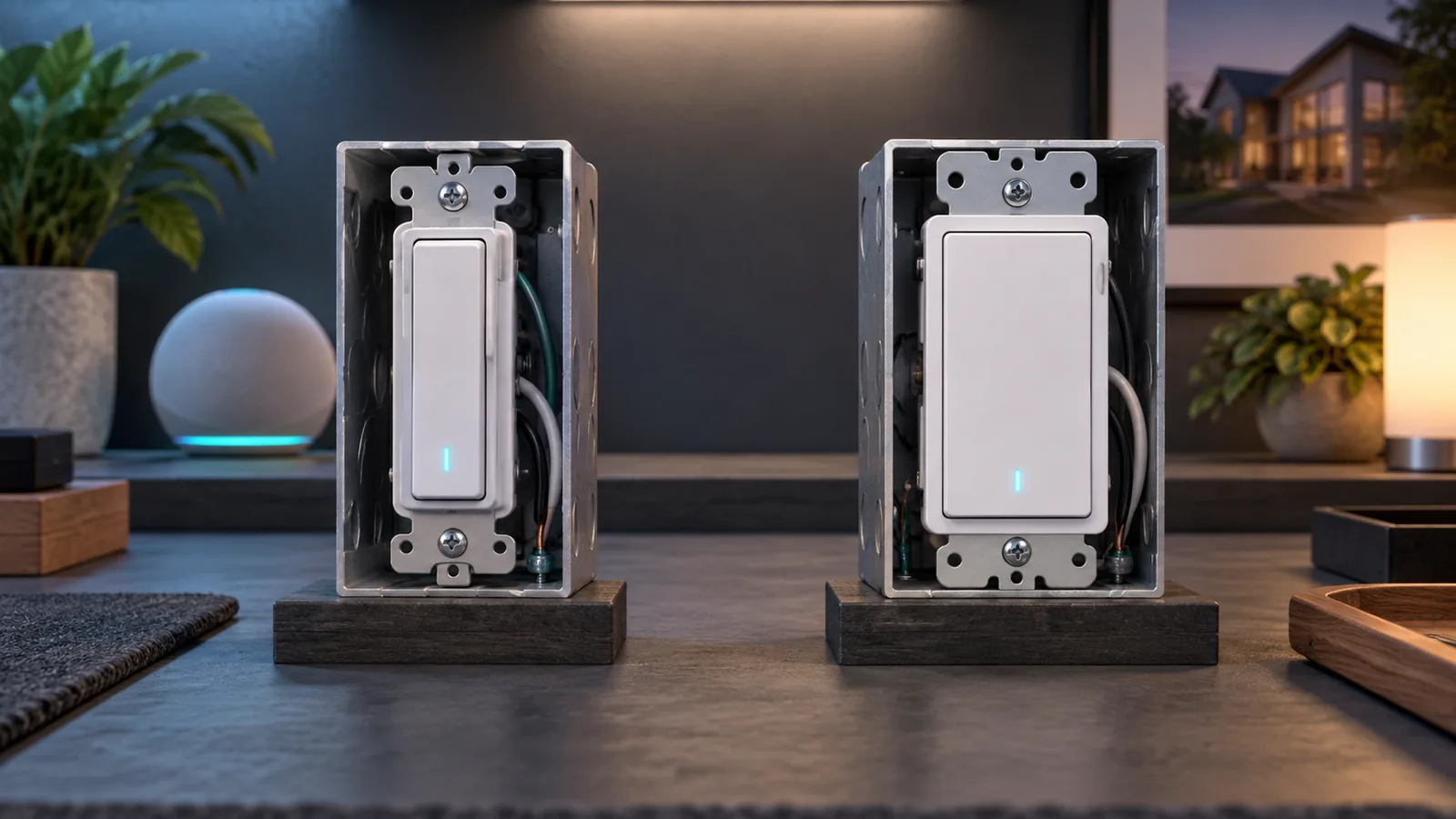
The PD-8ANS was Lutron’s original Caséta neutral-wire switch. The older official brochure rates it for 8 A of lighting load and 5.8 A of general-purpose fan load. It uses the original Caséta face: a narrow column of controls rather than a full-width paddle.
The DVRF-5NS is the current Claro smart switch. Lutron rates it at 5 A for LED or fluorescent lighting, 600 W for incandescent, halogen, or electronic low-voltage lighting, 600 VA for magnetic low-voltage lighting, and 3 A for a general-purpose fan motor. It also requires a neutral.
That is not a simple “new model has bigger numbers” upgrade. The newer switch has a different load envelope and a different physical interface. I choose between them by separating two questions: whether the installed switch still safely fits its existing job, and what I would buy for a new job.
| Question | PD-8ANS | DVRF-5NS Claro |
|---|---|---|
| September 13 inventory | Eleven devices reported as PD-8ANS by Home Assistant | Not installed or personally tested here |
| Neutral required? | Yes | Yes |
| Published lighting rating | 8 A lighting in Lutron’s older brochure | 5 A LED/fluorescent; 600 W incandescent, halogen, or ELV; 600 VA MLV |
| Published general-purpose fan rating | 5.8 A | 3 A |
| Wall control | Original narrow-button Caséta style | Full-width paddle with a soft-glow status light |
| Multi-location choices | Pico or existing toggle-switch arrangements documented in the original brochure | Mechanical three-way, Pico, or matching DVRF-AS accessory options |
| Home Assistant path | Caséta Smart Hub | The same Caséta Smart Hub |
| My decision | Keep the working switches | Start here for a new compatible circuit |
Why I am not replacing eleven working switches
The strongest evidence I have is boring: the switches are already in the walls and continue to turn their loads on and off. They remain available through my L-BDG2 hub, Home Assistant can automate them, and the physical controls still work when Home Assistant is restarting.
A whole-house replacement would preserve that architecture. The radio link would still be Caséta. The Home Assistant integration would still talk to the hub. The entities would still represent ordinary on/off loads. I would pay for a different shape on the wall, not a new capability I need.
I have already learned the more important lesson with one of these circuits: an automation can be wrong even when the switch is dependable. A PD-8ANS supplying power to a Bond-controlled ceiling-fan receiver created a four-to-five-second boot race whenever the wall switch cut power. I fixed the control design by leaving the receiver powered, not by replacing the Caséta switch with a newer Caséta switch.
I would replace one after a failure, when a changed load no longer fits, or during a renovation where the paddle and matching companion controls solve a usability problem.
Why I would choose Claro for a new room
A light switch should explain itself before anyone opens an app. The Claro’s broad paddle looks and behaves like the control most people already expect. The original Caséta buttons are not difficult, but they are an interface a visitor has to notice and interpret.
The multi-location choices are also clearer. Lutron documents the DVRF-5NS with a mechanical three-way switch, a Pico remote, or its matching DVRF-AS accessory switch. The accessory is not a standalone smart switch; it works with one supported Diva dimmer or Claro smart switch. That distinction matters when counting devices and ordering parts.
I would not turn “paddle” into a universal recommendation. If the existing box lacks a neutral, the DVRF-5NS is not the answer. If the load exceeds its rating or needs dimming, speed control, or another electrical behavior, it is not the answer. The useful recommendation is narrow: for a compatible neutral-wire on/off circuit joining an existing Caséta system, this is the model I would check first.
The fan rating does not make either switch a fan-speed control
Both official documents include a general-purpose fan or motor rating. That means an allowed load can receive full power or no power. It does not mean either switch can set low, medium, or high speed.
For one compatible pull-chain ceiling fan where I need four discrete speeds, I use the PD-FSQN. For a fan with its own receiver and remote, I treat that receiver as the control plane and keep its power stable. The exact fan design comes before the word “fan” in a specification table.
I would also never use a wall lighting control as permission to ignore the fixture, driver, inrush, or local electrical requirements. This page is a model-selection comparison, not line-voltage installation instruction. I verify power is off before inspecting a wall control and use a qualified electrician when the circuit or load is uncertain.
Home Assistant does not settle the physical model
The September 13 registry review gives me a useful count: eleven devices identify as PD-8ANS. It does not let me make every purchasing claim from software alone. Integrations can expose a family identifier or preserve an older product name across closely related hardware. The physical side label and the manufacturer’s sheet for that exact model are the electrical evidence.
That boundary matters here because Lutron’s later original-style Caséta switches included PD-5ANS and PD-6ANS variants. I am not opening eleven energized boxes to improve a website table. I use the Home Assistant identity to describe the system I operate, and I would verify the physical label before buying a replacement for a specific location.
The same rule applies to the Claro. A product-family name on a store page is not enough. I would confirm DVRF-5NS on the package, match the load and wiring, and check whether the second location needs a mechanical switch, Pico, or DVRF-AS accessory.
Does Claro work better with Home Assistant?
Not in a way that changes this purchase. Home Assistant’s official Caséta integration communicates locally with the Smart Hub and automatically discovers supported devices configured through Lutron. The wall switch’s physical shape does not create a second integration path.
That is a benefit, not a disappointment. I can choose the better wall interface for a new room without changing the rest of the house or inventing another radio network. Scenes and automations remain optional layers above a control that still makes sense by itself.
This is also why I would not replace either switch with a Matter bulb for permanent room lighting. A bulb behind an ordinary wall switch becomes unreachable when someone uses the obvious control. Matter bulbs fit the gaps where Caséta does not—such as a small lamp that can stay powered—not the circuits where a dependable wall control already exists.
My keep-or-buy checklist
- Keep the installed switch if it is safe, compatible, and working. A newer face is not an automation upgrade.
- Verify the physical model before ordering a replacement. Home Assistant’s identifier is inventory evidence, not a substitute for the label.
- For a new neutral-wire on/off circuit, check the DVRF-5NS first. Confirm the exact load against Lutron’s current ratings.
- Choose the second control location deliberately. Mechanical three-way, Pico, and DVRF-AS arrangements are different parts lists.
- Do not confuse switching with dimming or fan-speed control. Those jobs require different controls.
For the wiring split across the controls actually installed here, see which Caséta models need a neutral. For the dimmer version of this keep-or-buy decision, see PD-6WCL versus Diva DVRF-6L. The broader system decision is in the Home Assistant hardware I would buy again.
What the registry can and cannot prove
The installed count comes from the Home Assistant device registry reviewed September 13, 2026. The PD-8ANS ratings come from Lutron’s original Caséta brochure. The current DVRF-5NS ratings, neutral requirement, and multi-location choices come from Lutron’s Claro product guide and advanced installation guide. Hub behavior comes from the Home Assistant Caséta documentation.
I have not installed or personally tested a DVRF-5NS in this house. I did not remove the installed switches to verify every physical side label, measure their loads, test multi-location wiring, or perform a durability comparison. My Claro recommendation is for a new compatible circuit and rests on its documented electrical and control design; the long-term operating evidence belongs to the older switches already here.
Disclosure: I own and use the eleven PD-8ANS switches described here. The Claro comparison is based on current Lutron documentation.